The launcher
The launcher replaces LG's Home. It is a web page of the project that the TV's browser runs, so it starts fast and works the same on every supported webOS version.
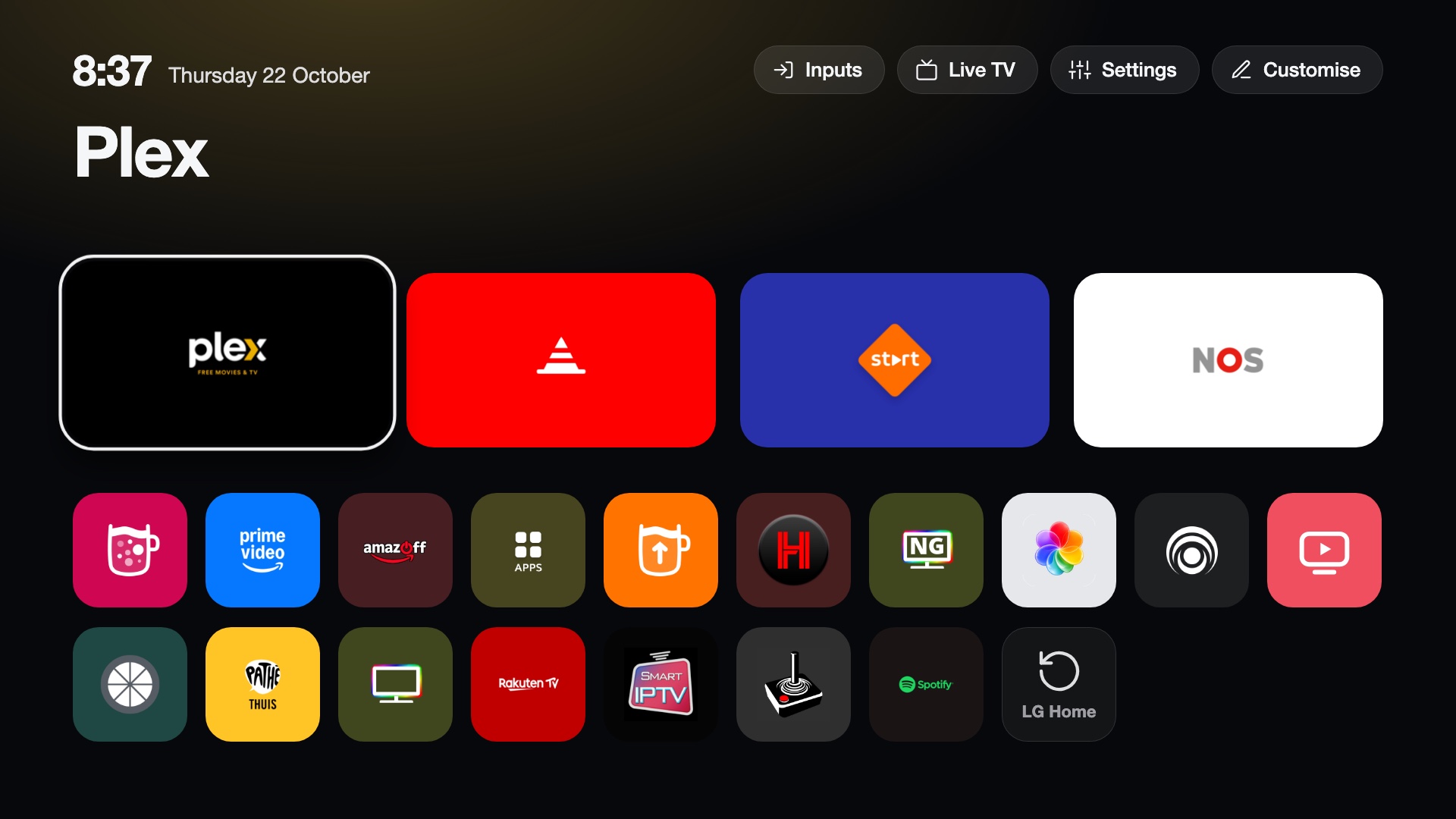
The screen
- Dock. Up to four apps, large, on the first row.
- Top shelf. The name of the focused app and an ambient glow taken from its icon.
- Grid. All other apps, sorted by how often you use each one (or A to Z).
- Top buttons. Inputs, Live TV, Settings and Customise, and a clock. The buttons you see are yours to change.
- Open apps. Optionally a green dot on the tile of every app that is open, as on the active input in the Inputs list: off by default, Customise > Mark running apps switches it on, in the launcher and in the Inputs picker. Back on the home screen lists the open apps to close them (see Running apps).
Keys
| Action | How |
|---|---|
| Open an app | OK |
| App options (dock, hide) | Hold OK on an app |
| Move or remove a top button | Hold OK on it |
| Customise | The Customise button |
| Live TV | The Live TV button or tile |
| Switch input | The Inputs button |
| Put an input on Home | Hold OK on it in the Inputs list |
| Close running apps | Back on the home screen |
The Magic Remote pointer works too: pointing and clicking, and holding the button on an app for its options.
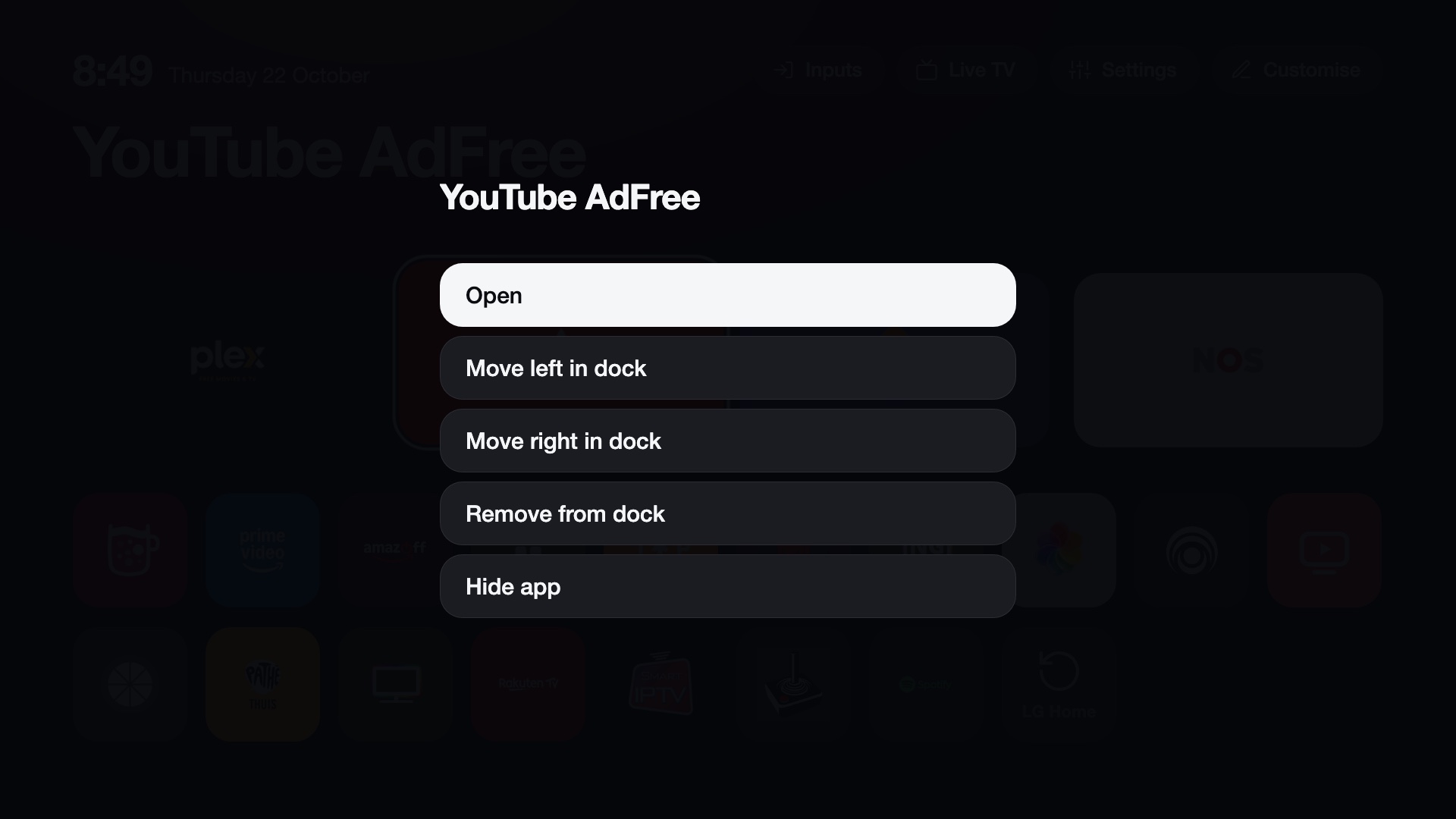
Running apps
Back on the home screen lists the apps that are open, as LG's Home does with its Recents on a second Back. OK closes an app, Close all closes every app in the list, and Back leaves it. Closing an app also removes it from LG's recent apps.
It lists the apps the launcher knows, including the ones you hid from the grid; Home itself, CleanYourTV's own apps and the TV's system apps are never in it. The list is read when it opens and closes when you leave Home. Suggested and first built by Steefzar.
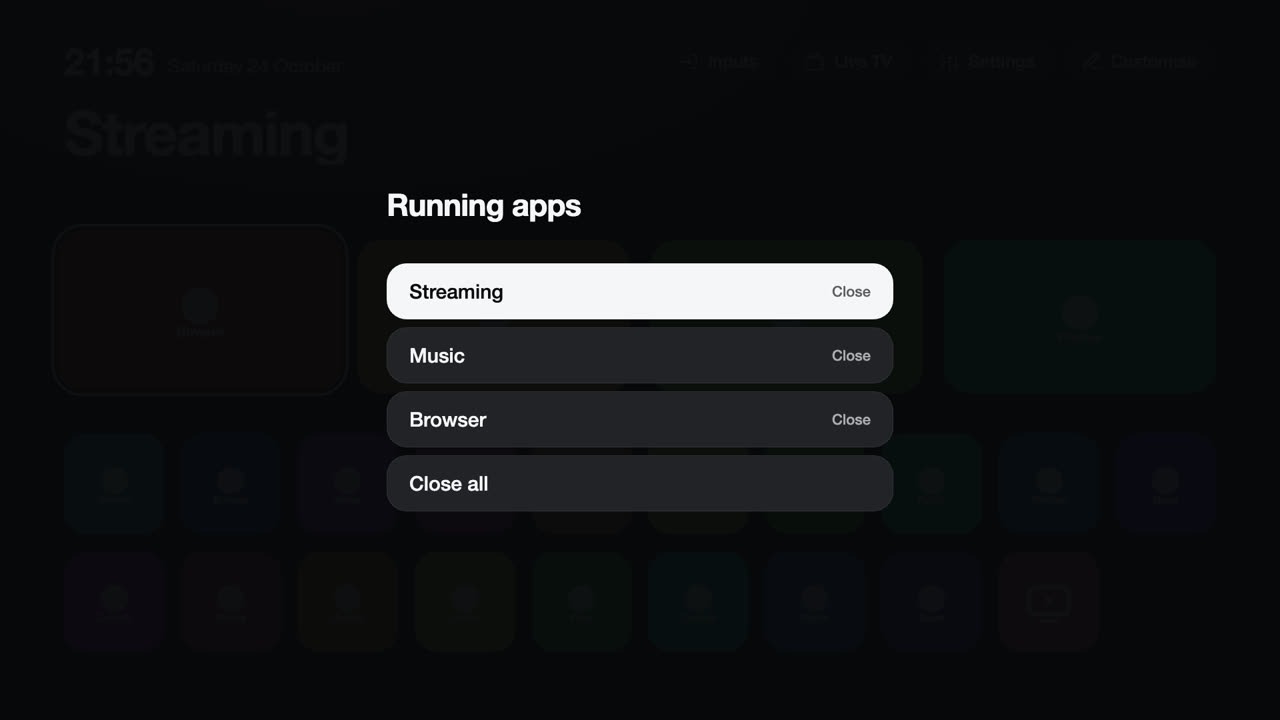
Customise
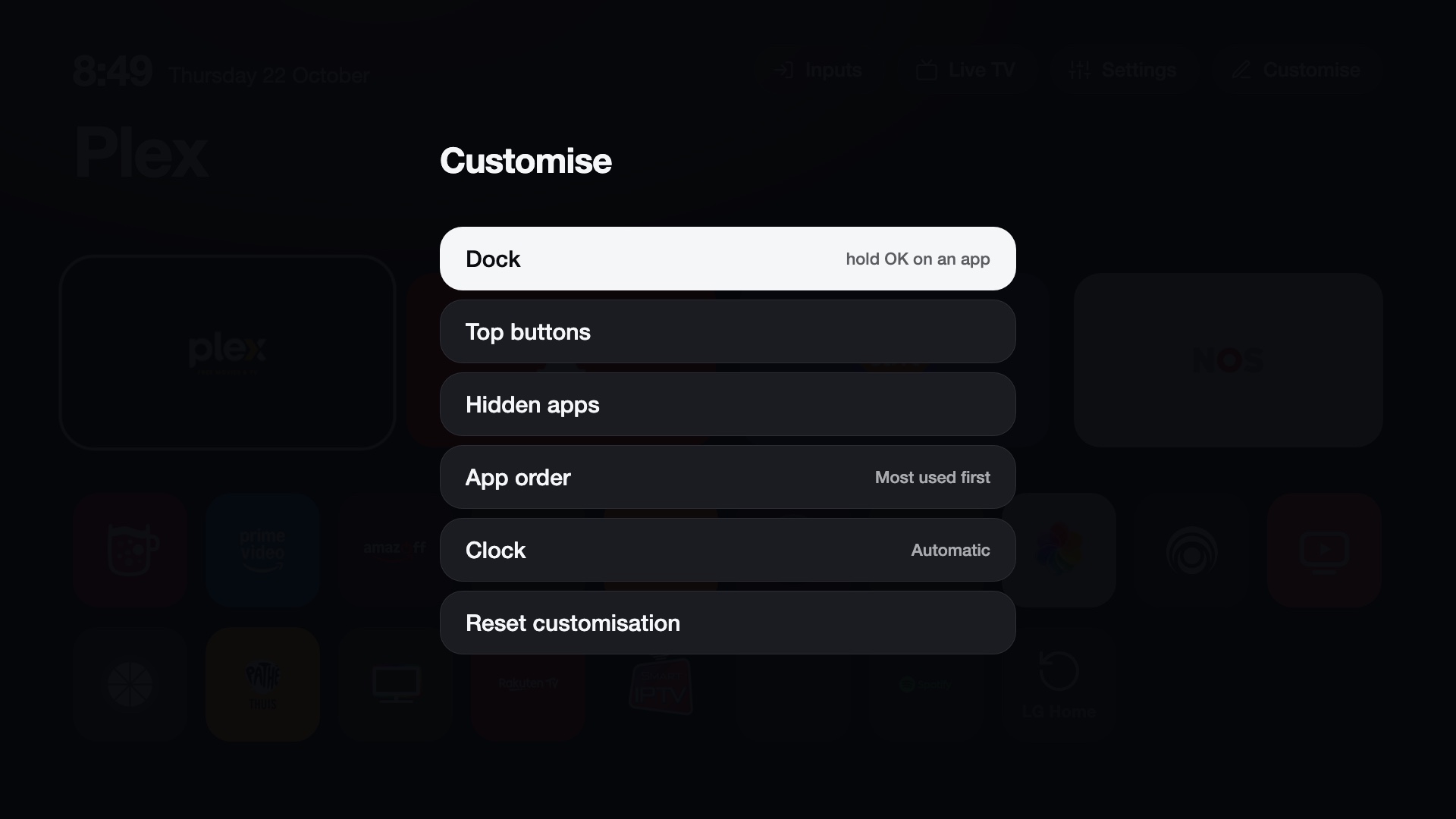
Customise holds how Home looks:
- the dock: each app in it can be replaced (an app already in the dock swaps places), moved or removed, and Add an app... fills a free place. Holding OK on an app gives Add to dock, Move left, Move right, Remove from dock and Hide app;
- the top buttons: move one left or right, remove it, or add Inputs, Settings, Live TV or any app;
- hidden apps (show them again);
- the app order (most used first, or A to Z);
- mark running apps (a green dot on their tiles, or none);
- the clock format (automatic, 12 or 24 hour);
- the theme (see Themes) and the accent colour; the theme list shows each theme's screenshot;
- Wallpapers: your own photos behind Home, and how often they change (see Wallpapers);
- More settings..., which opens the manager app for everything the TV and the service do.
Putting the dock, buttons, hidden apps, order and clock back to the defaults is in the manager app: Reset Home customisation.
Inputs
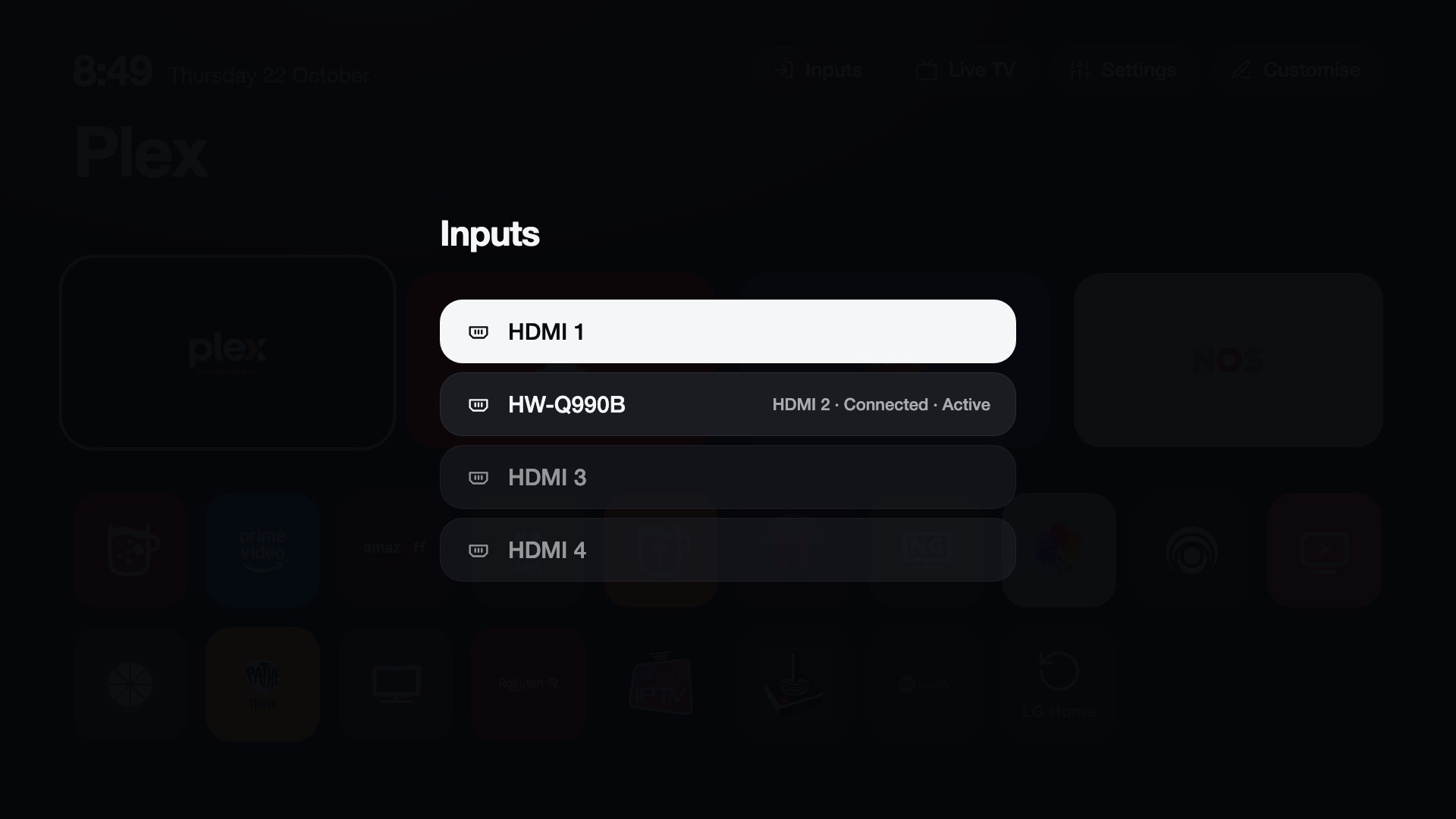
The Inputs button lists HDMI inputs by the names LG shows, with what is connected and a marker on the active one. OK switches to the input.
An input on Home
Hold OK on an input in the Inputs list and choose Add to Home. The input then shows as a tile, with the HDMI symbol, the name the TV gives it (for example the name of the connected console) and its port. It is a tile like an app: OK switches to the input, and holding OK on it offers Add to dock, Move left, Move right and Remove from dock. Remove from Home takes it off again; that is also in the Inputs list. A tile of an input with nothing connected is dimmed and still switches to it.
In the Inputs picker of the Input key, holding OK on an HDMI input does the same: it is added to Home, or taken off when it already is. An input in the dock also shows in the picker's row of dock apps.
Suggested and first built by ibexes.
Icons
Each tile uses the app's own icon. The tile colour is taken from the icon's edge colour, so an icon that reaches its edges blends into the tile, and the ambient glow comes from the icon's most vivid colour. Colours are worked out once per app and remembered.
An icon that is an opaque square with a transparent margin around it (many LG icons) is enlarged so it fills its tile, and a gradient icon in the dock gets a tile with the same gradient (#3).
Language
Menus follow the TV's language: English, Dutch, German, French and Spanish.
Themes
The look of the home screen (colours, tile and text size, columns, clock, glow, animation speed, wallpaper) is a theme, chosen in the manager app.
Settings file
Settings are stored on the TV in /media/developer/cleanyourtv/config.json:
| Key | Meaning |
|---|---|
dock |
App ids in the dock (up to four). |
topbar |
The buttons at the top. |
hidden |
App ids you hid. |
pinnedInputs |
The inputs on Home: {id, label, port}, id being the input's app (for example com.webos.app.hdmi2). |
sort |
usage or alpha. |
clock |
auto, 12 or 24. |
runDots |
true shows a green dot on open apps (off by default). |
See config.example.json. Change settings in
the launcher; the file is read and written by the service.