The manager app
CleanYourTV in LG's app list sets up, updates and removes everything. The left side of the screen explains the focused row.
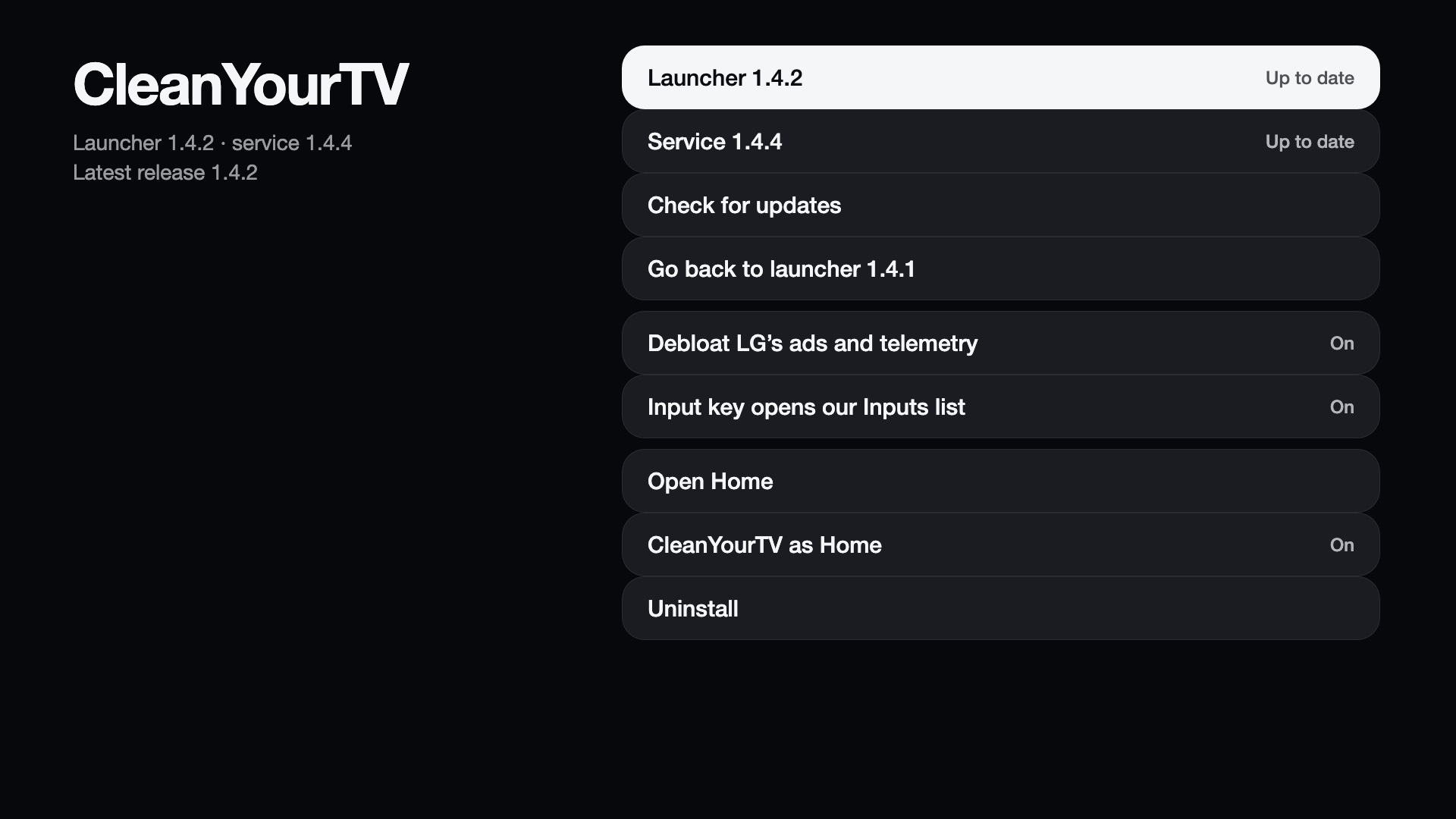
| Row | Function |
|---|---|
| Launcher, Service | Installed version; offers an update when the latest release is newer. |
| Check for updates | Asks GitHub for the latest release. |
| Update channel | Follow the stable releases or the dev builds. |
| Go back to launcher | Appears after a launcher update. |
| CleanYourTV as Home | Use CleanYourTV as Home (LG's Home or ours; the TV restarts) and the optional Learn the Home key. |
| Wallpapers | Your own photos behind Home: the phone page (uploads and Immich), counts, Sync now, Picture size, Remove all uploads and Disconnect Immich. See Wallpapers. |
| Live TV | Show Live TV (off hides it in the launcher and Inputs list and leaves the Guide button to LG), the Playlist (set up from your phone with a QR code and a 6-digit code), Refresh playlist and guide, Learn the Guide key, Clear recent channels and Remove the playlist. See Live TV. |
| Input key | The takeover switch, Learn the Input key, Input key shows (the Inputs list over the running app, ready in the background or started when pressed, or the launcher's own list). See The Input key. |
| Debloat | The four groups of the debloat, each on or off, and Switch all on / Switch all off. |
| More | Voice: optional; installs the speech recogniser (about 80 MB), learns the voice button, tries it, sets where the text goes (see Voice). Network notifications: switch, address, token (also as a QR code for a phone) and an example for sending picture notifications from other devices. |
| Share log | A QR code that opens a masked diagnostic report on a phone, with a Copy button. |
| Reset Home customisation | Puts the launcher's dock, top buttons, hidden apps, app order and clock back to the defaults, after a confirmation. The theme stays. |
| Uninstall | Removes everything and restarts the TV. |
When the service is not running
The manager works without the service for two things: checking for a newer package and installing it, so a broken service can be repaired from the TV. It follows the same Update channel as the service: on the dev channel it offers the dev build's package. Set up now starts from the options that are already saved (Input key, Debloat), so setting up again does not switch them back on.
Share log
Share log opens a short-lived page on your local network (port 8768 or higher, a random address, ten minutes). Scan the QR code with a phone on the same network. It works even when the service is not running, so it can also report a failed setup.
The report is masked: addresses, MAC addresses and URL paths are replaced, and the values of token, key, password,
pass, secret and apikey are removed. It holds the TV model and firmware, the versions, LG's stock Home app, the mounts and
boot scripts, whether our apps are registered, your options, the remote key codes seen by the input hook, the service status, the
setup log, the last lines of the service log and the input hook log. Attach it to bug reports.