Add-on repositories
Add-ons are not tied to this project. The TV keeps a list of repositories; a repository is a folder on the web (a GitHub repository is
enough) with an index.json and the add-ons beside it. The project's own catalog is the first entry of the list (official); it always
stays and cannot be removed, in the manager or in the service. Anyone can publish a repository, and anyone can add it to their TV.
Code from another repository runs as root on your TV
An add-on of kind: "service" runs inside CleanYourTV's service, with root rights: it can read and change anything on the TV and on
your network. CleanYourTV checks that each file is the one the repository's index lists (SHA-256). That only shows that a file is the one
the repository published; it does not show that its author is trustworthy, and the CleanYourTV project has not reviewed the add-ons
of other repositories. Only continue for people and projects you trust.
Before you add a repository, and before you install or update an add-on from a repository other than official, the manager (and
the phone page, and cytv-addons) shows this warning and the add-on's permissions in plain words (what its addon.json asks for:
its permissions and the calls to LG's services). The default is Cancel; the button that continues says what it does ("Install
code from confirm: true, so a script cannot skip it by accident.
Only https:// repositories are accepted.
What a repository sees
Every repository you add is contacted each time the add-ons list or a picture of an add-on is opened (and when you install or update),
so its operator sees the TV's address, and when. The official repository is on GitHub; so is any repository you add with user/repo.
Use a repository
On the TV
Manager app > Add-ons > Repositories: the list; select one to remove it; Add from your phone shows a code and a QR code (page on port 8800, open for ten minutes) and you type the address on the phone, tick the box that you trust it, and Add. Back in Add-ons, the repository's add-ons are listed under the ones you have, with where they come from; selecting one asks first. Update all add-ons installs newer versions, each from the repository it was installed from.
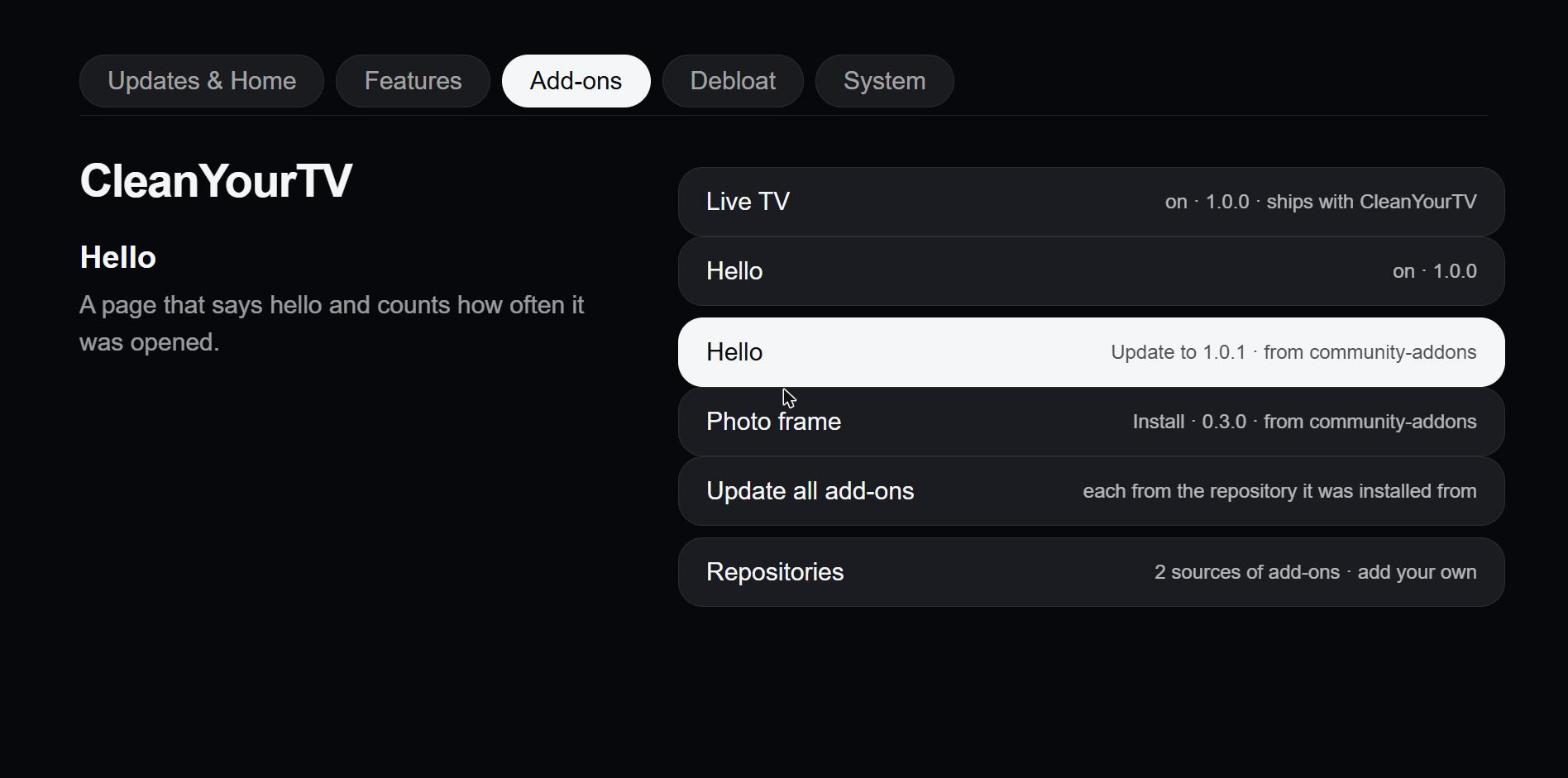
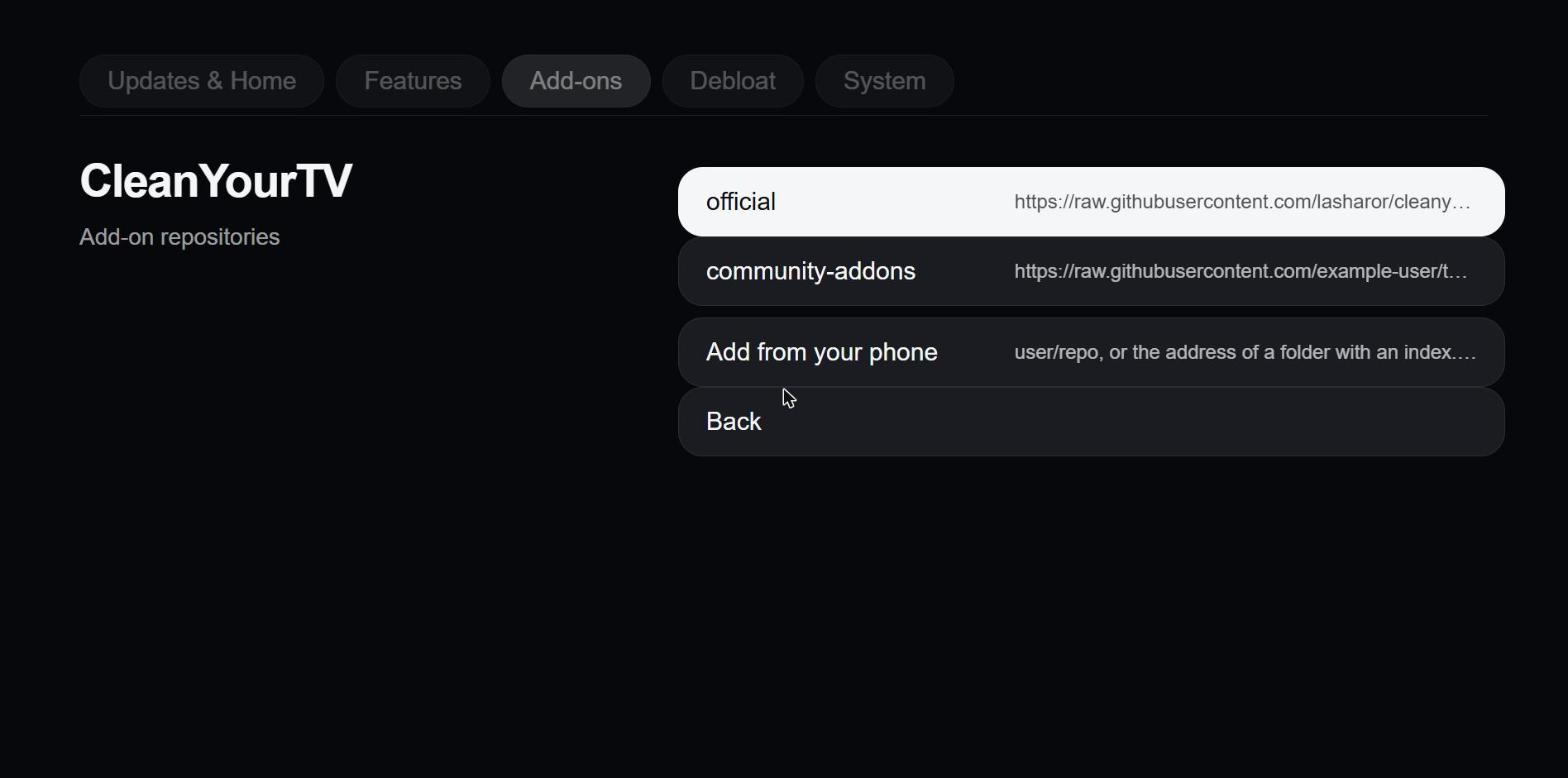
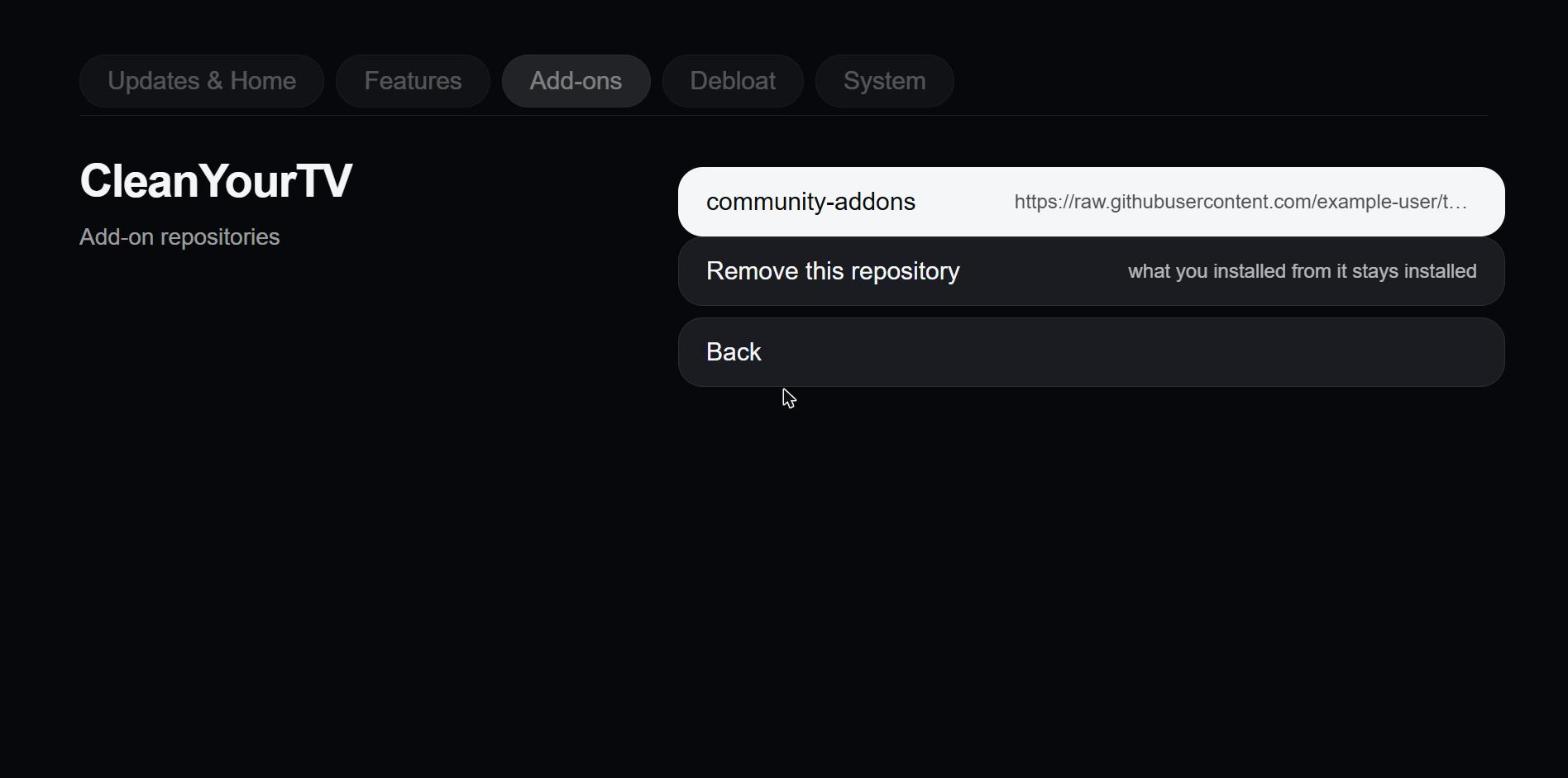
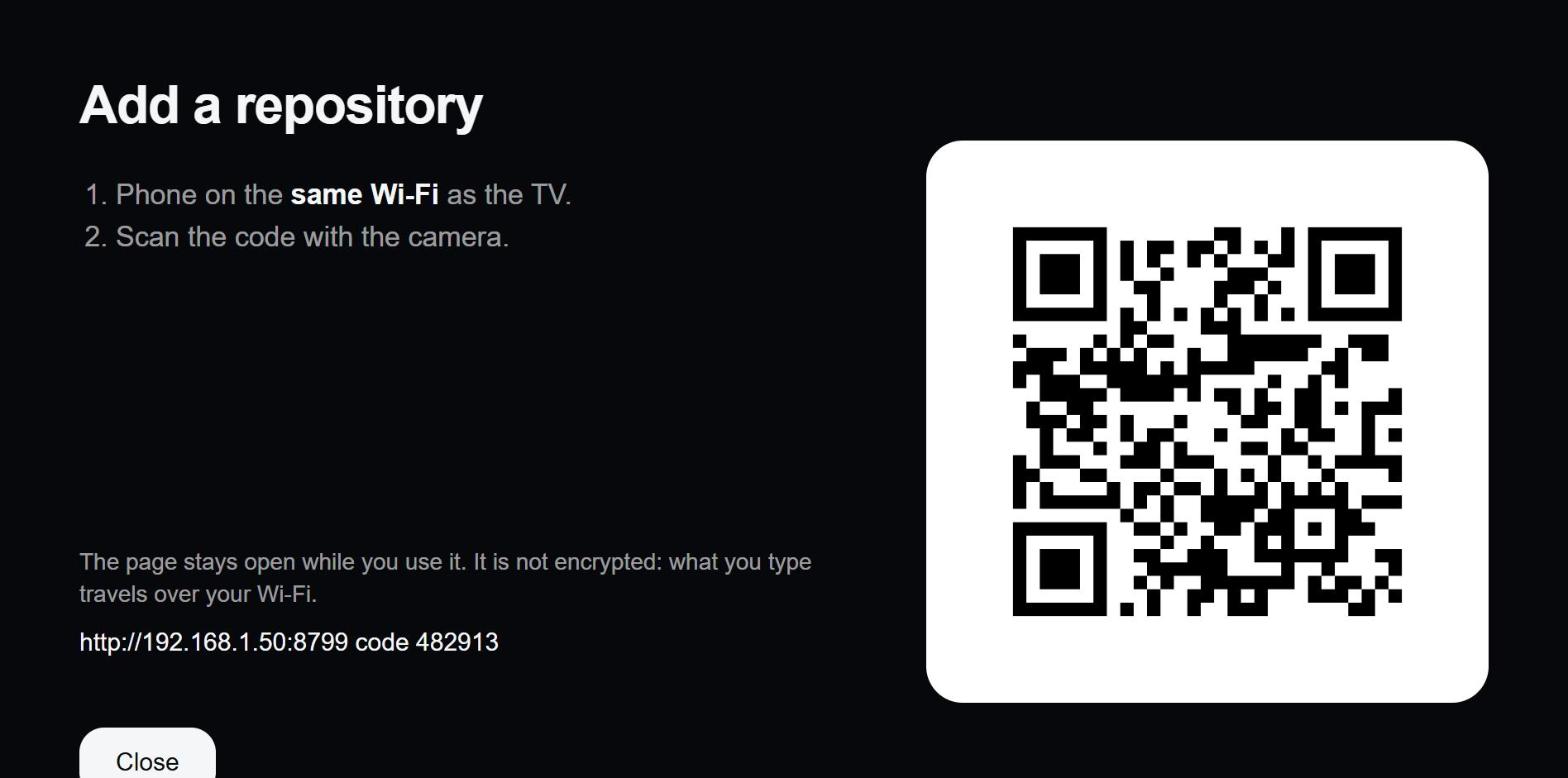
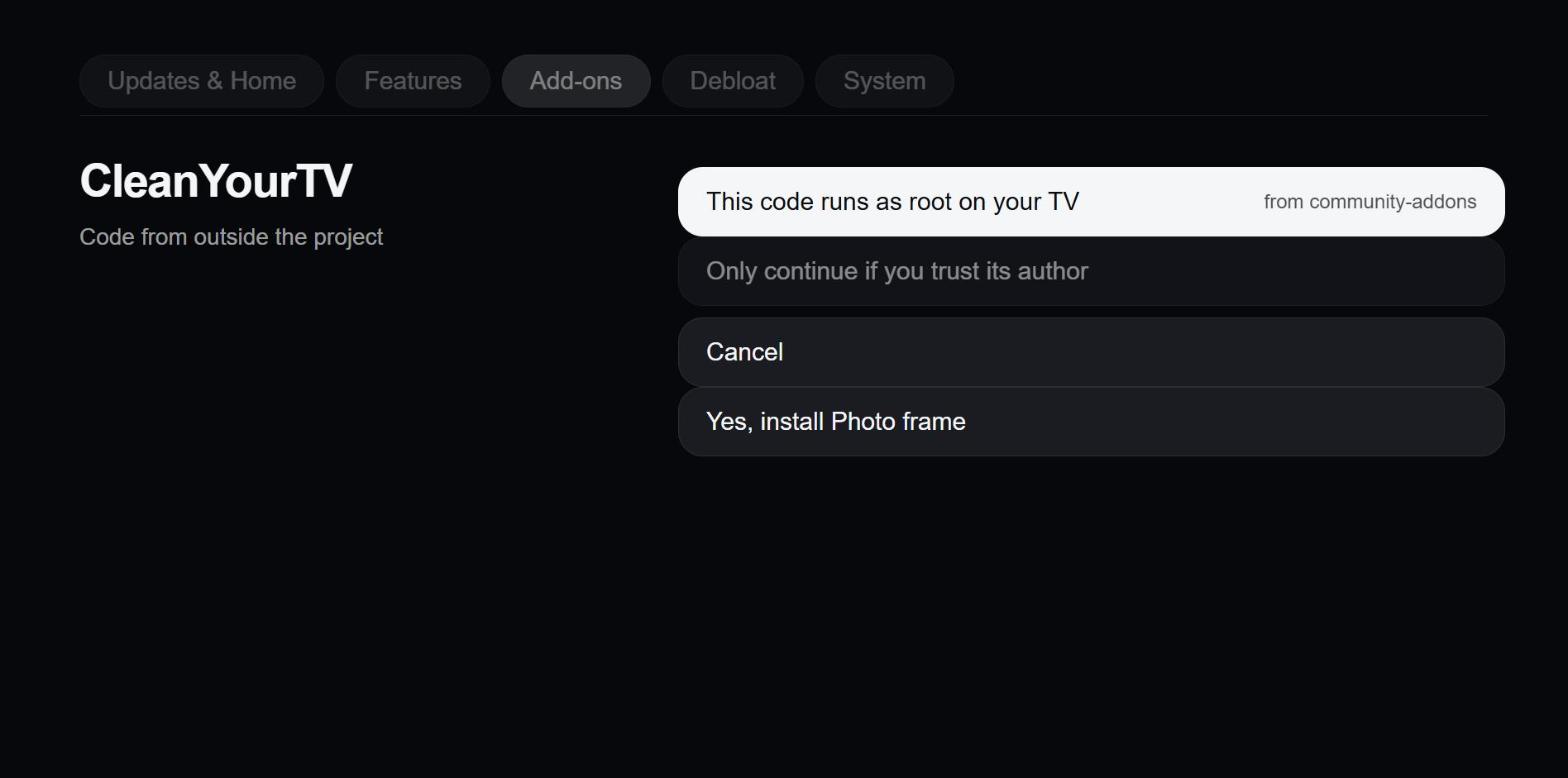
(The pictures show made-up repositories and add-ons.)
From a shell (SSH)
Log in to the TV as root (ssh root@<tv-ip>; the Homebrew Channel set SSH up). The tool is
/media/developer/cleanyourtv/cytv-addons.js. Make it a command once; it stays (it goes to /home/root/.local/bin, which is on root's
PATH and survives reboots):
Log in again, then:
cytv-addons repos                            # the list
cytv-addons repo-add alice/tv-addons         # asks to confirm; -y says yes
cytv-addons list                             # everything the repositories offer
cytv-addons install clock alice-tv-addons    # asks to confirm for a repository other than official
cytv-addons update                           # newer versions of what is installed (-y: do not ask)
cytv-addons installed                        # with the repository each came from
cytv-addons remove clock
cytv-addons repo-rm alice-tv-addons          # what was installed from it stays
Without the shortcut, a session-only alias does the same: alias cytv-addons='node /media/developer/cleanyourtv/cytv-addons.js'.
The commands are the ones the manager uses, so what you do in one shows in the other.
An address is one of:
| Address | Reads |
|---|---|
user/repo |
https://raw.githubusercontent.com/user/repo/main/ |
user/repo@branch or user/repo@branch/folder |
that branch, and a folder inside the repository |
https://github.com/user/repo (also .../tree/<branch>/<folder>) |
the same |
https://host/path |
any https folder that has index.json (a /index.json at the end is dropped) |
The repositories you added are addonRepos in config.json ([{"name": "alice-tv-addons", "url": "https://..."}]), changed only by the
service (config.update, logged as addon-repos). official is not stored: it is always there, always first, and a stored entry with that
name is ignored. Editing the file by hand works after a service restart; the service checks each entry.
From a script
GET /api/addons/repos, POST /api/addons/repos {add, name?, confirm} or {remove}, GET /api/addons/catalog,
POST /api/addons/install {id, repo?, confirm}, POST /api/addons/update {id?, confirm}. A reply {error, confirm: true} means the confirm is
missing. See the table in Add-ons.
Make a repository
The sample add-on (hello) opened as a page next to Home:
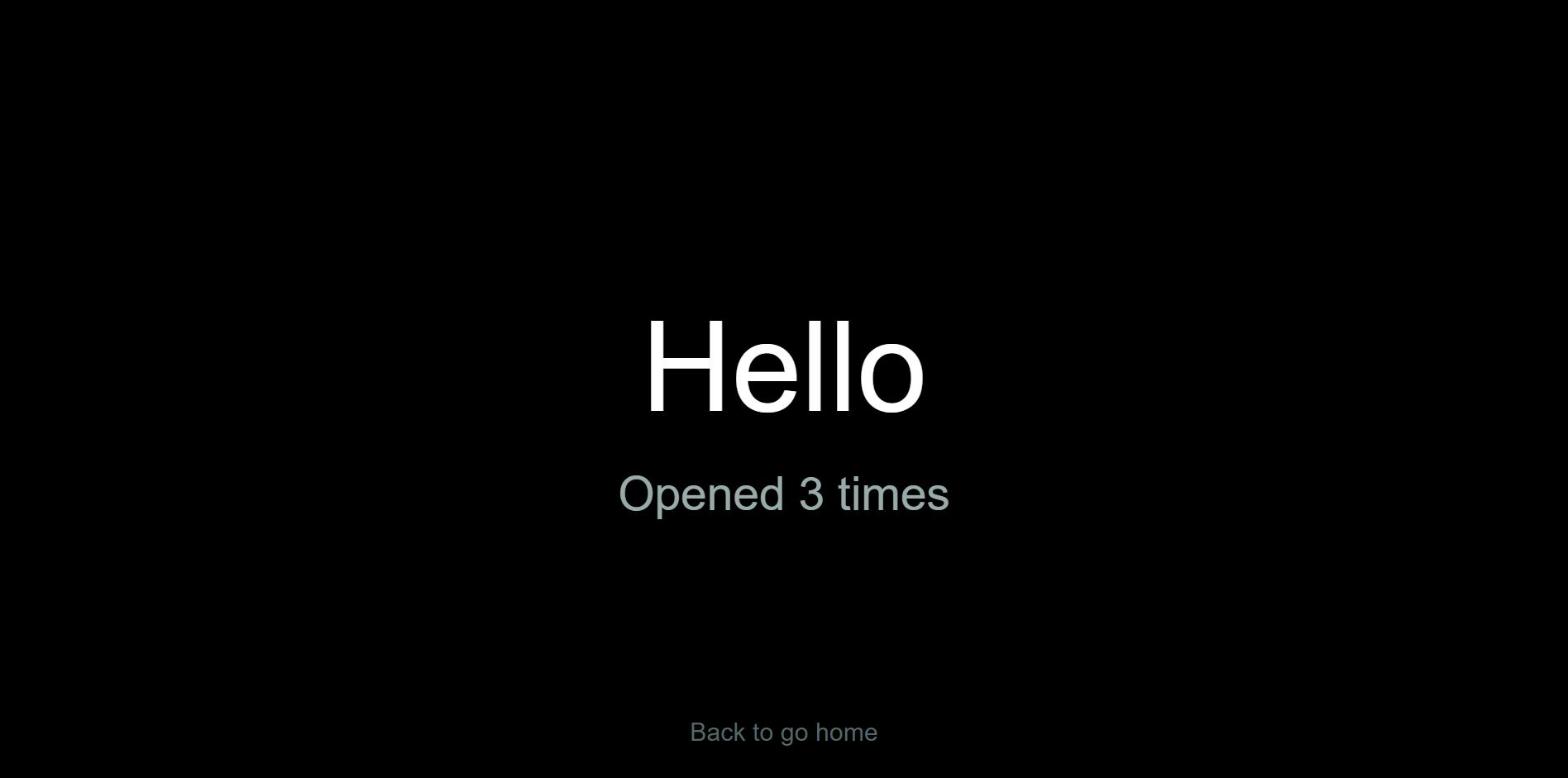
Copy addons/template/ to a new GitHub repository. It is a
complete repository with one working sample add-on (hello: a page and a service part):
index.json            written by make-index.js
make-index.js         node make-index.js     (run after every change; --check says whether it is current)
.gitattributes        * -text: a file must reach the TV byte for byte as it was hashed (no line-ending conversion)
catalog/<id>/         addon.json, index.html, service.js (optional), preview.jpg (optional, 800 x 450, at most 600 KB)
Rules the service enforces when it installs (an add-on that breaks one is refused whole, nothing is installed):
- An id that the official repository has is the official add-on's: another repository cannot offer it (so a third-party repository cannot
ship its own
spotify), and the service refuses to install it from there. An id that two other repositories both have must say which one to take (cytv-addons install <id> <repository>; the manager always names it). If the official repository cannot be read, what other repositories offer is hidden until it can, because the ids cannot be checked. - What the person is shown is what the add-on asks for: the index lists
kind,permissionsand thelunacalls (node make-index.jswrites them fromaddon.json), and the install is refused if the downloadedaddon.jsonasks for something else. - The folder name is the
idinaddon.json: lower case letters, digits and-, starting with a letter, 2 to 32 characters. Notcatalog,install,remove,sdk,book,preview,repos,update; and not the id of a bundled add-on. versionismajor.minor.patch(1.0.0). Raise it when the files change: the TV offers an update only for a higher version.- Every file of the add-on is in
index.jsonwith its SHA-256, at most 60 files, each at most 2 MB.preview.*is listed separately and never installed. - The manifest is checked as in Add-ons.
kind: "service"needsentry.service. - Add-ons run on Node.js 8.12 (webOS 5 and 6) and Chromium 68 and up: no
?.,??,fs.promises, globalURL, no flexgap; the page is ES5.
Recipe for an AI assistant: an add-on from an idea
Give the assistant this page, addons/template/ and your idea. A prompt that works:
Make a CleanYourTV add-on for this idea:
. Start from addons/template/catalog/hello/. Createcatalog/<id>/addon.json,index.html(ES5, large text for a TV, black background, include/addon/sdk.js, Back must go Home) and, only if the page needs the TV,service.js(Node 8.12, no network unless"permissions": ["net.fetch"]). Keep it small. Then runnode make-index.jsand show me the files. Do not install it on my TV; tell me thecytv-addons repo-addandinstallcommands.
Checklist for the result:
catalog/<id>/addon.json:idequals the folder,version1.0.0,kindpageunless the page needs the TV or the network,entry.pageindex.html,tilewithplacement: "page"and an icon fromhome tv clock chart globe photo music play star heart cards grid hdmi settings addon.- A page add-on needs no
service.js. A service add-on'sservice.jsexportscreate(ctx)and returns{ handle(req, res, path, body) }; the page calls it asCYTV.api('/path', body). Whatctxholds and what an add-on can provide (wallpapers, cards, channels for Live TV) is in Add-ons. node make-index.jsran, andindex.jsonis committed with the add-on.- Test:
node make-index.js --check, openindex.htmlin a desktop browser with a stubCYTVobject, then on the TVcytv-addons repo-add,cytv-addons install <id>and look at it. Say plainly what was checked on a real TV and what was not.
How it works (for contributors)
helper/addonrepos.js: the address parser and the list rules (pure).helper/addons.js: reads each repository'sindex.jsonat the same time (one that fails is reported inerrors, the others still list), installs throughentryFor(id, repo), and writesaddons/.sources/<id>.json({repo, version}) beside the add-on so that an update comes from the repository it was installed from. An add-on without a record counts asofficial.helper/addonrepophone.js: the phone page (port 8800).- The confirm is enforced in the service (
needConfirm), not only in the screens; its reply carries what is to be installed and what it may do (addons: [{repo, id, name, version, kind, can}]), whichcytv-addonsprints. CYTV_ADDONS_URLstill replaces the address ofofficial(tests, a mirror).CYTV_REPOS_ALLOW_HTTP=1is for the tests' stand-in servers only.scripts/cytv-addons.jsis copied to the TV with the other scripts bybootstrap.sh.